project / active
Notible
Notes that don't pretend to be something more — and when you need more, they can grow into a full working system.
what it is
Notes that don't pretend to be something more
Notible starts from a very simple idea: a note should be a place you actually want to come back to.
No forced templates. No ten setup steps before you can save your first sentence. No feeling that, to jot down an idea, you first have to learn yet another life-management system.
You create a note, give it a title, and write. Notible understands Markdown, so you can use headings, lists, checklists, quotes or code snippets — but you don't need to know any syntax to get started. It's just a plain place to think, write and keep track of things that shouldn't disappear into a random text file or a list of messages to yourself.
In its simplest form, Notible is just a fast, quiet note editor. One that stays out of your way. You can keep a project log, record a decision from a meeting, write a shopping list, draft an article, or gather questions for a client call. Every note can stay exactly what it started as: one page in a digital notebook.
And when you need more from it — it can become something much bigger.
Built-in plugins: you choose the tools, not the other way around
Notible doesn't assume everyone works the same way.
For one person, a note is text. For another, it's a task, a knowledge-base draft, a brief, a calendar event, or a point on a project plan. Instead of trying to force all of that into one rigid interface, Notible lets you extend the workspace through built-in plugins.
Plugins add specific capabilities exactly where they're needed: project views, Kanban boards, planning and a Gantt chart, calendars, automations, project finance, a whiteboard, and a mode for long-form writing. They're not separate apps you have to shuttle data between — they're part of the same place your notes already live in.
That means you can start with one simple page and turn on only the pieces that actually support how you work. No installing an "enterprise bundle" just to check off a few tasks.
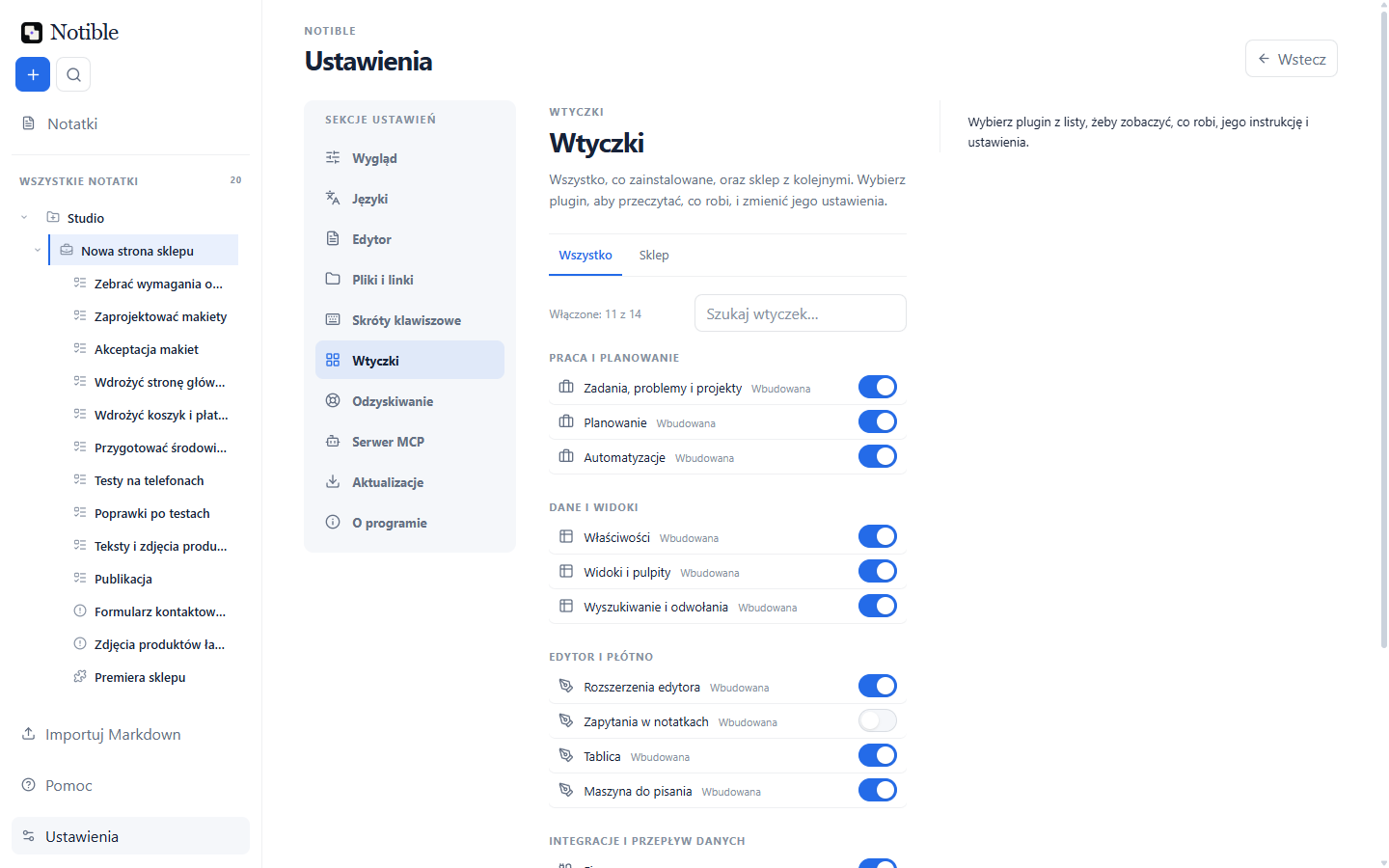
In practice, Notible doesn't ask "which system do you use?" It asks "what do you need today?" — and lets you answer with your own set of tools.
Advanced settings, only when you need them
Simplicity doesn't have to mean limits.
Every project, note or piece of work can have its own properties: status, priority, dates, tags, assignees, estimates, types, relations, and extra fields built exactly for the way you work. You can treat a note as a plain document, or turn it into a project card with a precisely described state.
That matters most once your information stops being just text.
Maybe you're building a shot list for a film and need fields for "location", "approval status" and "shoot day". Maybe you run a design studio and want to tag briefs by client, stage and decision date. Maybe you're building a product and need tasks, issues, releases and a history of decisions in one place. Notible doesn't impose one vocabulary — it lets you build your own.
This way, an everyday note doesn't automatically turn into a form. Properties show up only when they genuinely help you make decisions, sort work, or answer the question "what's actually going on with this?"
Your space, your pace, your look
A good working tool shouldn't feel like an environment imposed on you. It should feel like it's yours.
Notible lets you shape the workspace around how you think and work. You can pick a calm, light theme for writing and organizing knowledge, or a darker, more focused mode for late-evening project work, or let the app follow Windows' light or dark mode. Changing the look isn't decoration — it affects pace, concentration, and whether you actually want to open the app again.
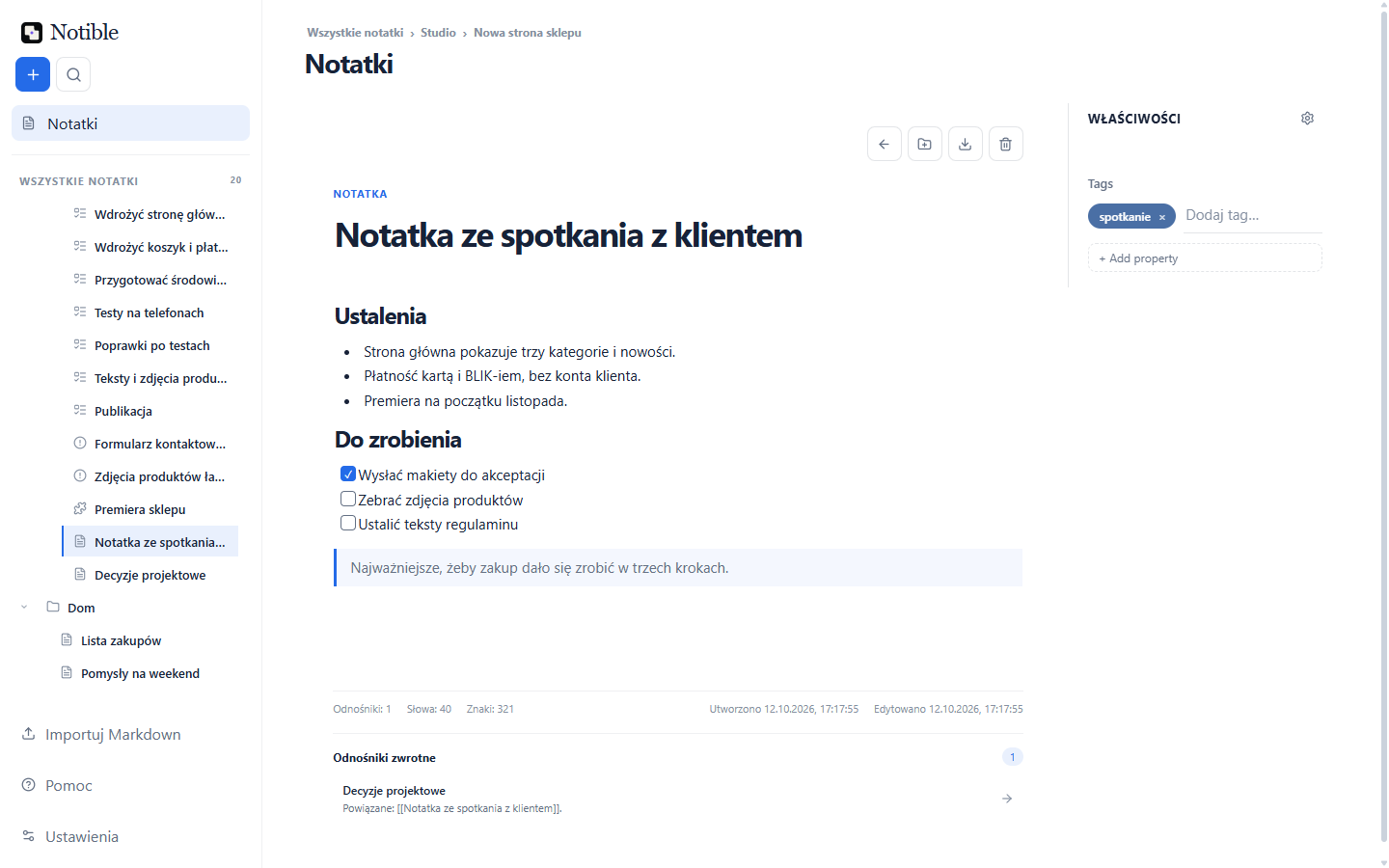
Customization doesn't stop at colors. It's also layout, views, how data is grouped, and which information matters most. One person wants a minimal view with a blank page and a cursor. Another wants to see priorities, dates, people and progress right away. Notible is meant to support both without forcing anyone to compromise.
Because a space for thinking should be personal — like a desk, a notebook, or a favorite text editor.
Project management without losing context
Most projects don't fall apart because they're missing yet another task board.
They fall apart because decisions live in one place, meeting notes in another, tasks in a third, and information about what's blocking the work doesn't live anywhere at all. The team sees a list of things to do, but not the history, the dependencies, or the consequences of pushing one deadline.
Notible brings these pieces together into one project space.
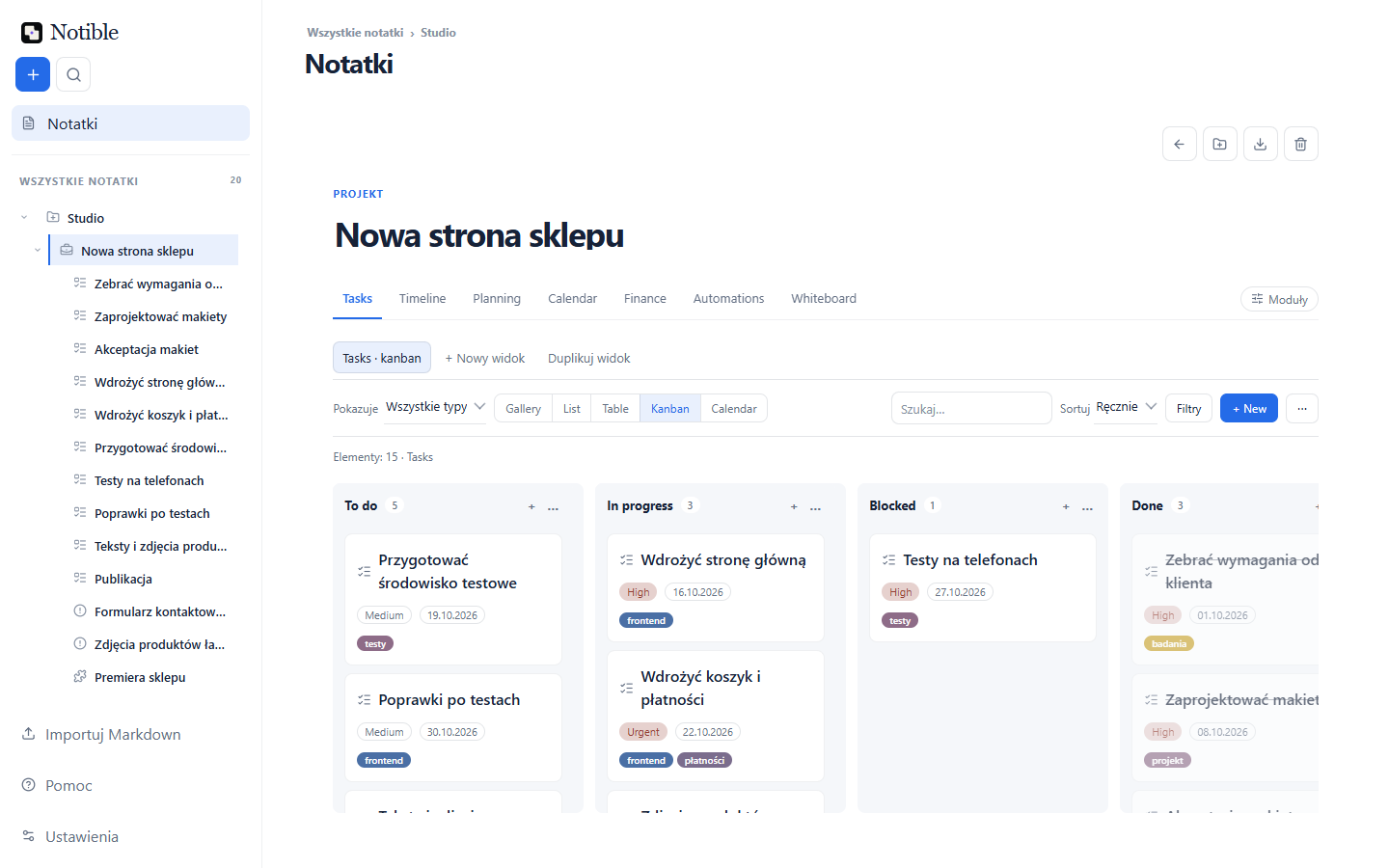
You can create tasks, issues and releases alongside regular notes. A task can have a status, priority, tags, a start date and a due date. An issue can describe a problem along with its impact on a release. A release can gather the work needed to ship a specific version of the product. And all of it stays linked to the documents, decisions and context it grew out of.
The Gantt chart here isn't a treat for people who like colorful bars. It's a way of seeing time as a real constraint on the project. It shows what can start in parallel, what has to wait on earlier work, and which delay will ripple through the rest of the plan.
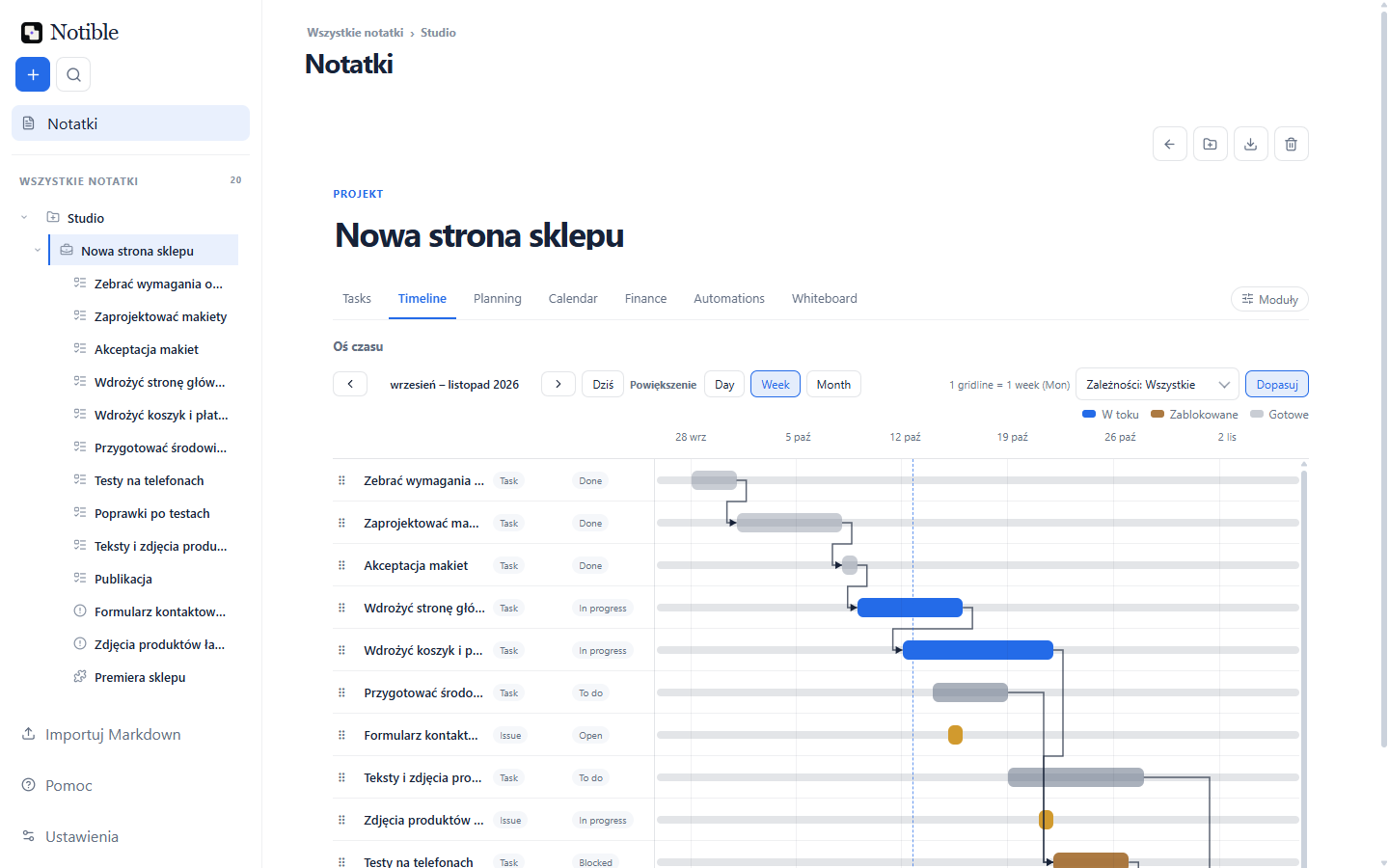
Dependencies let you say more than "this task matters." You can state clearly that the mockups have to finish before implementation starts, that testing can't begin without a ready environment, or that a critical bug blocks the release. That turns the plan from a tidy list into a map of how the work actually happens.
Notible also helps you see a project from different angles. The Kanban board shows the flow of statuses. The list gives a quick overview of the details. The calendar reminds you of deadlines. The Gantt chart shows order and dependencies. It's the same data, not four separate copies of the truth.
Plugin Market: Notible can grow with your needs
Built-in plugins are a starting point, not a boundary.
The Plugin Market holds more than ten official plugins today, among them a link graph, habits, spreadsheets, a library for books, films and games, note schemas, PDF reports, notifications and sync. You install them from inside the app.
The market is also open to extensions built by the community: new views, integrations, specialized tools, and ways of working that no single app could plan for in advance. Before you install one, Notible shows what it will be allowed to do. Every team works differently. Every field has its own vocabulary, rituals and exceptions. There's no point pretending that one product backlog or one database layout solves everything.
That's why Notible is meant to be a platform for different ways of organizing information.
Picture a plugin for freelancers that turns notes into a lightweight CRM and brief library. A plugin for researchers that organizes interviews, quotes and findings. A plugin for game developers that ties together scripts, assets, bugs and a production plan. A plugin for a small team that syncs meeting decisions with the tasks that follow from them.
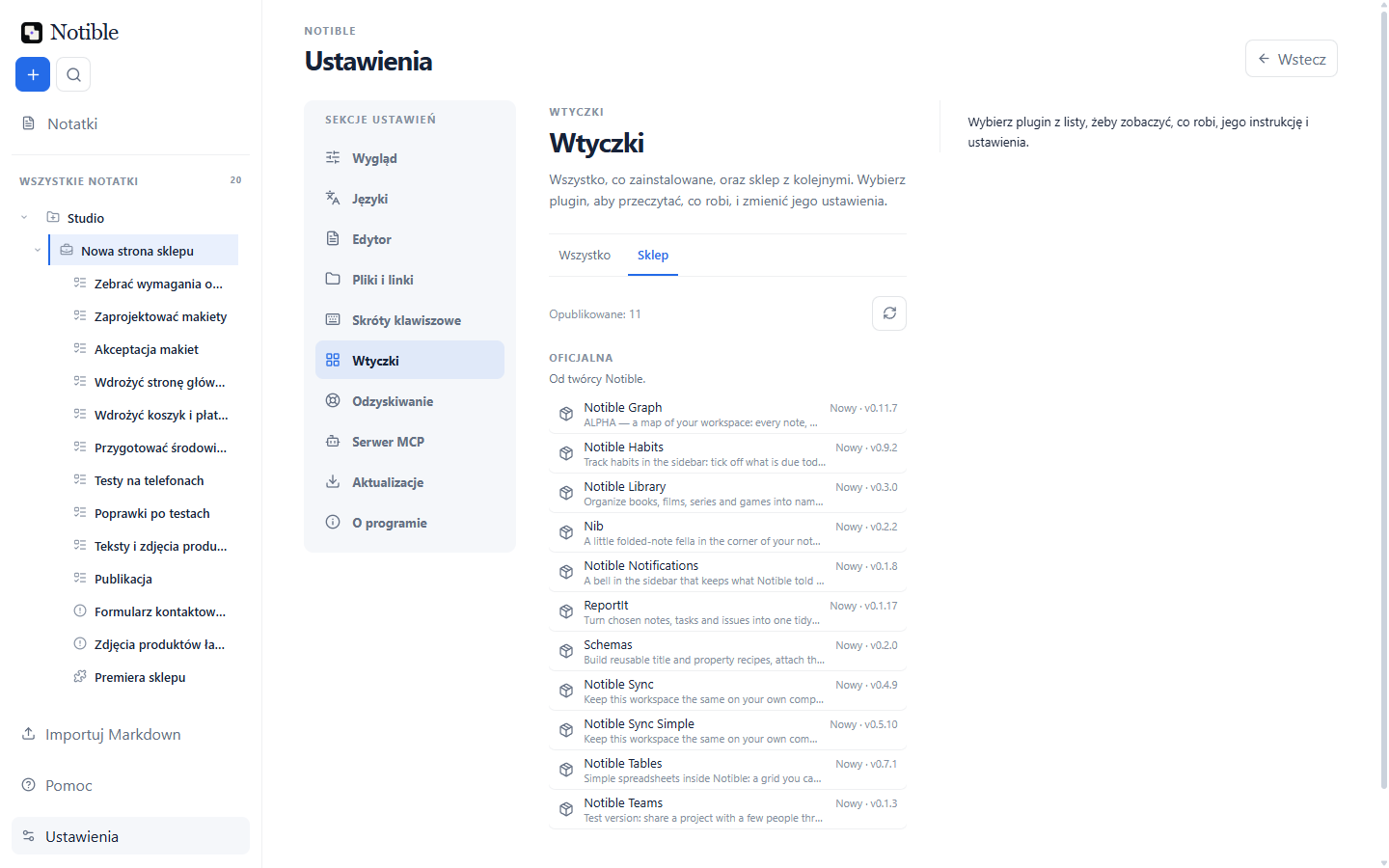
The most interesting tools often don't come out of big companies. They come from someone having a specific problem and the nerve to build something better for it. The Plugin Market is meant to give solutions like that a home — and let people build Notible closer to their own work, instead of endlessly adapting to someone else's assumptions.
The same notes on every computer you own
You don't need any account to write. Notible works locally, and your notes stay on your computer.
An account only comes in when you want the same thing on your laptop and your work computer (Notible runs on Windows today). You install a sync plugin from the Plugin Market and sign in to your own Google Drive. Sync goes through your Drive, not through a Notible server.
There are two plugins to choose from. In Notible Sync, everything that leaves your computer is encrypted first with a key only your devices hold, so neither Google nor Notible can read it. Sync Simple is more convenient because you don't pair devices, but the key then sits on the Drive: whoever can get into that Google account can read the notes.
What matters happens when you edit the same note in two places. Notible doesn't pick one version. If the edits touch different lines, both stay. When the same line changed in both places, you get a screen that walks you through the differences one by one, and you decide what stays. When a sync had to settle something, a short notice says in plain words what happened.
An AI assistant, on your terms
From version 0.97 the MCP server is part of the app, so you can connect an AI assistant such as Claude Code or Codex to your notes. In Settings, under "MCP server", you'll find a ready-to-copy setup and a list of what the assistant may do. The server runs on your computer and reads the local Notible database: there is no Notible cloud in between. Keep in mind that whatever the assistant reads may go to its provider: that is decided by the assistant's own settings, not by Notible.
A connected assistant can read and search everything you keep in Notible: notes, tasks, projects and other items, with their properties and links. The exception is expenses, time entries and vendors: these stay hidden from it until you choose to share them. By default the assistant can also create notes and tasks and edit existing ones (not projects or automations), which includes overwriting their content. The earlier version then stays in the item's history and you can go back to it, and one switch turns editing off.
Cleanup is a separate matter. The assistant can ask to move notes to the Trash, but only where you allow it, and no note goes to the Trash until you approve it. A backup is made first, and a cleanup can be undone for 24 hours. Notes marked "Protect from AI" are never part of a cleanup, but the assistant can still read and edit them. The assistant cannot delete anything for good or empty the Trash.
An editor that handles more than text
A Mermaid diagram is drawn right in the note. Two pieces of code can sit side by side so you see what was added and what went away. There are footnotes, links between notes that keep working after a rename, and a version history for every note: you can always go back to an earlier one.
And if you delete something by mistake, the message after the delete has an Undo button.
In Polish
Notible speaks Polish: settings, menus, built-in plugins and official plugins such as spreadsheets, the graph and habits. Anyone can add more languages as a pack installed in one click.
Notible doesn't want to tell you how to work
Not everyone needs a project management system. Not everyone needs a second brain. Not everyone needs a separate app for everyday notes.
But almost everyone needs a place where things don't get lost.
A place where an idea can start as one sentence. Where one sentence can turn into a brief. A brief can become a project. A project can get dates, tasks, issues and a release. And when it's done, it can leave behind knowledge you can actually come back to.
That's the vision behind Notible.
Not one app that does everything well enough. Rather, a quiet, flexible space that can become whatever you need: a personal notebook, a place for a team, a project system, a knowledge base, a decision log, or a tool nobody's named yet.
You start with a note.
The rest can grow with you.
how it is built
- Work scattered across tools notes, board, sheet, calendar apart
- Core: SQLite + Tauri local database, offline by default
- Plugin system custom object types and views
- Sync through plugins your Google Drive, edits merged line by line
- One local workspace notes, tasks, timeline and budget together
release register
-
in progress
Further polish
-
0.97
The MCP server for AI assistants
The server inside the app, settings for the look of code blocks, diagrams in the app's colours, more Polish: the command menu and built-in plugins.
-
0.95
Sync that merges edits
Edits are merged instead of picking one version, tables inside a note, Polish across the app.
-
0.94
Every screen
Narrow windows, interface size, search on Ctrl+K.
-
0.93
Simpler projects
Four statuses to start, undo after delete, new items where you are.
-
0.92
Editor details reworked
Links between notes that survive a rename, the command menu on every line.
show all (19)hide older releases
-
0.90
Help and version history
Help inside the app and version history for every note.
-
0.89
Mermaid diagrams
Drawn right in the note.
-
0.87
Community languages and themes
Packs installed from GitHub, themes that cannot run code.
-
0.84
Long-form writing
Story board with frames and a timeline, footnotes, A4 page line.
-
0.82
New look
White surface, blue accent, clearer lists, boards and Gantt.
-
0.80
Plugin Market
Community model, plugins hosted on GitHub Releases, install behind a trust prompt.
-
0.78
Container modules and calendar
The Work Packs successor; calendar: sign-in, Google sync, month view.
-
0.77
Core/plugin boundary closed
One primitive set, legacy removed.
-
0.71
Domain plugins
Relation graph, long-form prose mode.
-
0.7
Project finance
Budget, costs, billable rates, burn forecast.
-
0.6
Power Platform
Formulas, automations, forms, integrations.
-
0.4
Planning
Milestones, cycles, dependency timeline.
-
0.3
Workflow core
Triage, task relations, templates, reminders.