project / active
Clickloom
A free auto-clicker and macro runner for Windows 10 and 11: clicks, keys, sequences and a virtual cursor.
problem
Auto-clickers are either too simple, or locked, paid or full of ads. I wanted one free tool for clicks, holds, keys and sequences, including keys no keyboard has (F13–F24).
what it is
Clicks, keys and sequences
Clickloom clicks, holds, presses keys, moves the cursor and scrolls on a schedule you set. It runs on Windows 10 and 11: free, with no limits and no telemetry.
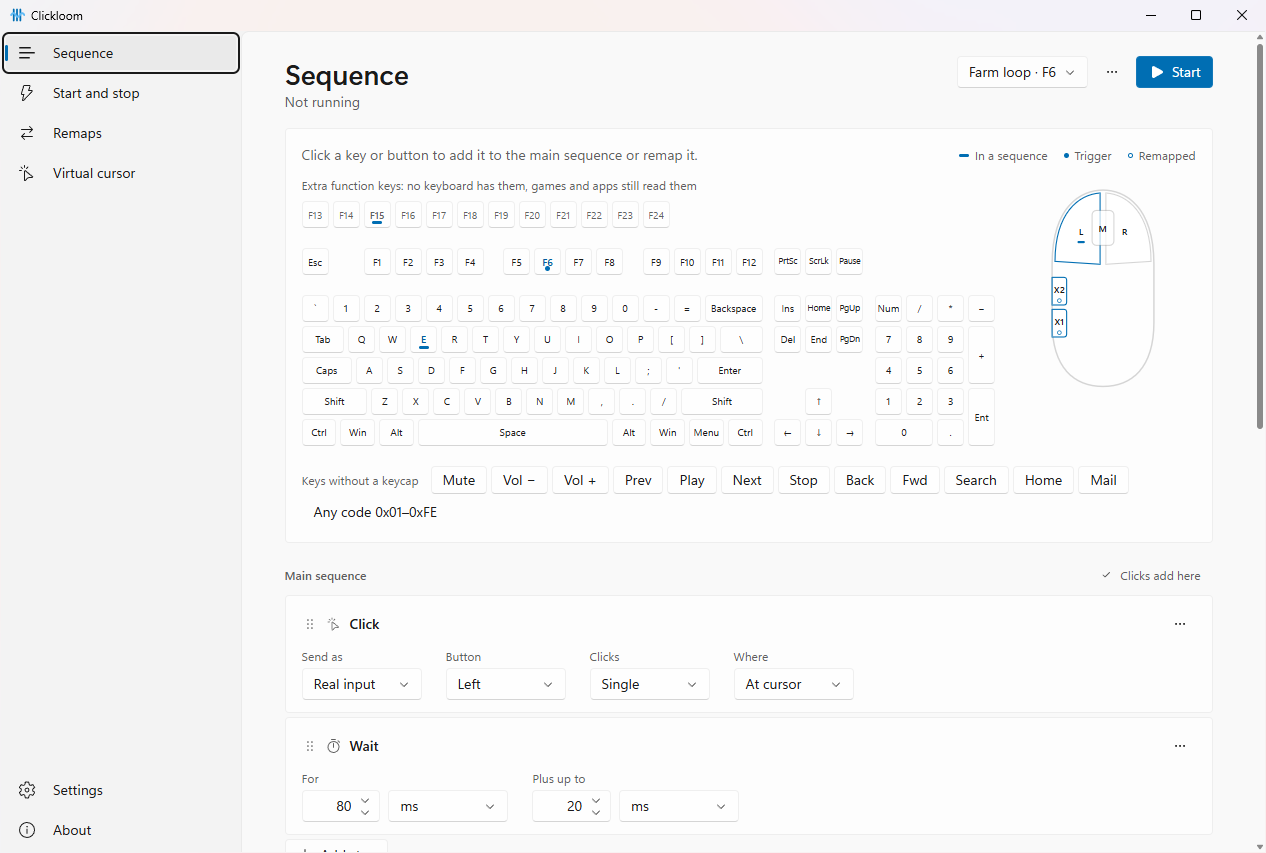
- Actions: clicks with any mouse button, holds, any key with Ctrl, Shift, Alt or Win, including F13–F24 and raw virtual-key codes.
- Sequences and routines: steps in order, with repeats. A routine cuts in on its own clock, like "keep clicking, every 2 minutes do something else, then come back".
- Remapping: a mouse side button can act as F15, and a key as a combo or a profile's start.
- Dropper picks a point on screen or inside an app window, instead of typing coordinates.
- Panic stop Ctrl+Alt+Esc always works: it stops everything and lets go of every key and button.
Start and stop
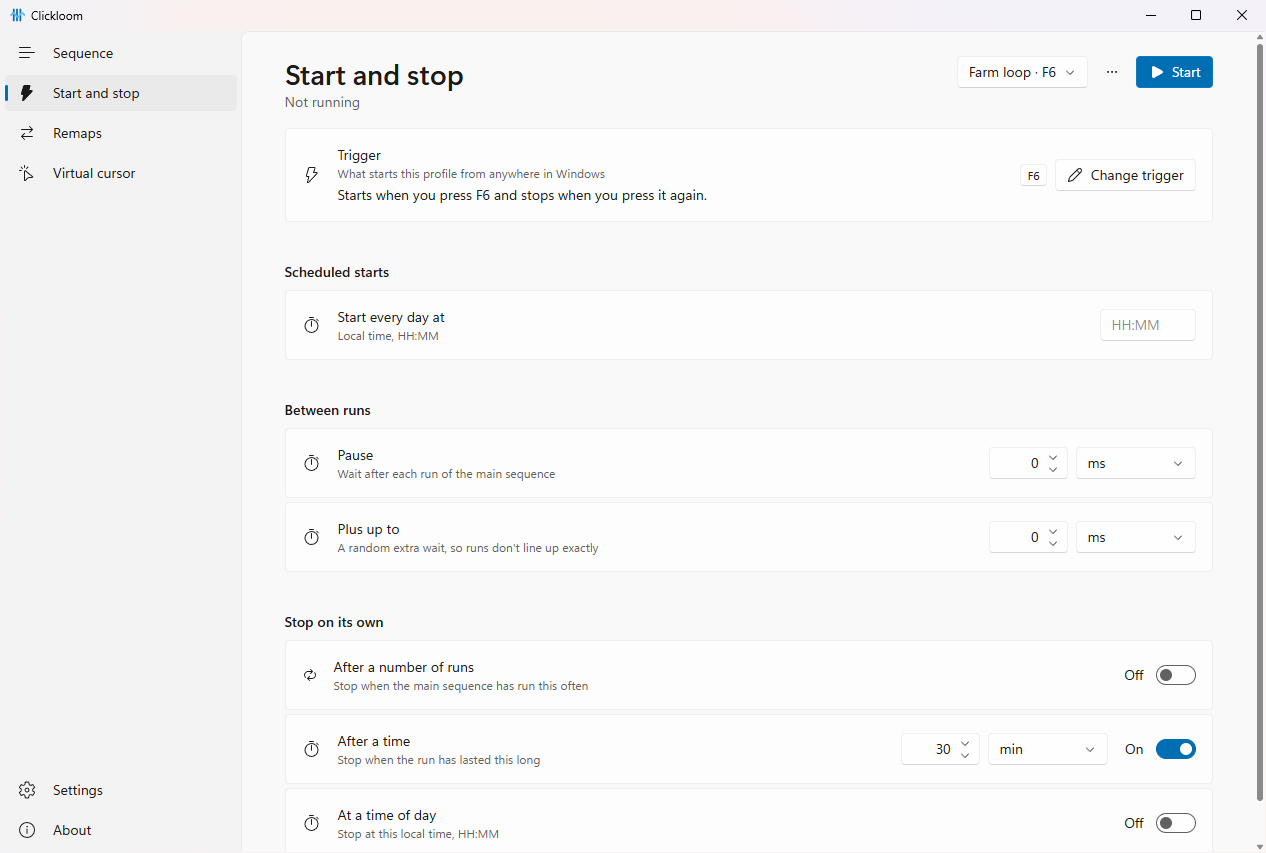
Each profile has one trigger, shown as a plain sentence, like "Starts when you press F6 and stops when you press it again". You change it in its own dialog: type, mode, Record, check, Save. A trigger can toggle, run only while held, or start once. On top of that: a daily start time, a pause between runs, and stopping on its own after a number of runs, after a time or at a time of day.
Virtual cursor
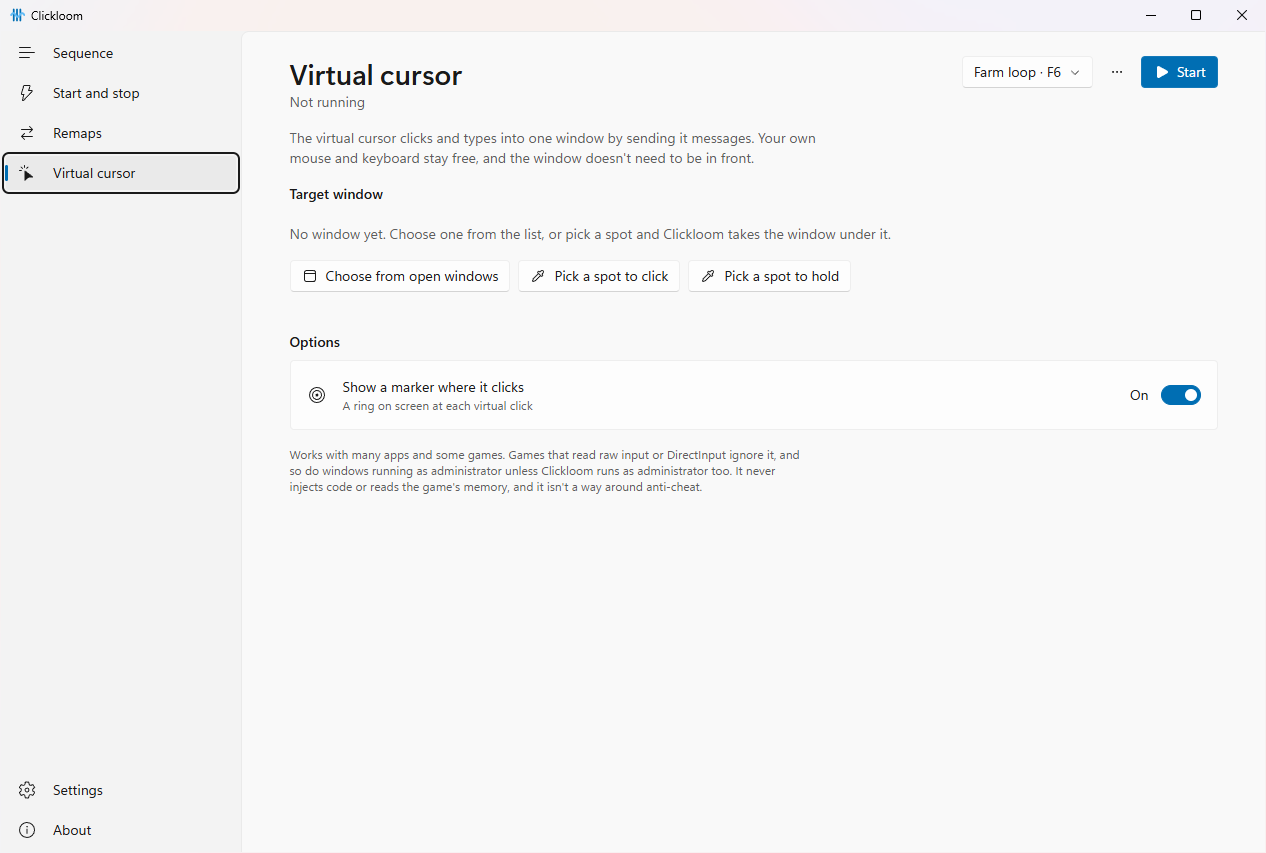
The virtual cursor clicks and types in one chosen window while you keep using your own mouse. The window doesn't need to be in front. You choose it from the open windows or with the dropper. It works in many apps and some games.
What's new in 0.3
- A new interface in the Windows 11 style, shared with Netlume: side navigation, Mica background, light and dark theme, settings in cards, messages in a bar instead of pop-ups, a new icon.
- Polish and English everywhere: the window, the tray menu, the dropper and the messages. It follows the Windows language and can be switched in Settings.
- Triggers you set on purpose: one per profile, described in a sentence, with its own dialog to change it. The left mouse button can't be a trigger, and a clash with another profile or the panic stop is refused.
- Upgrading from 0.2: a left-click trigger is removed, and a profile with several triggers keeps the first. Clickloom tells you once which profiles changed.
How it works
The app is built with Tauri 2 and Rust. Normal clicks and keys go through Windows' SendInput, and the virtual cursor sends messages to the chosen window. It all runs in user mode: no drivers, no code injected into other processes. A high-resolution timer keeps intervals down to 1 ms.
Limits
Clickloom can't reach windows running as administrator unless it runs as administrator too. Games that read raw input or DirectInput don't see the virtual cursor; use the normal mode for them. Clickloom isn't for getting around anti-cheat or breaking game rules.
Tell me what breaks
Bug reports, ideas and pull requests are all welcome: issues on GitHub.
how it is built
- Too simple or paid auto-clickers with limits, paywalls or ads
- Tauri 2 + Rust a light app for Windows 10 and 11
- SendInput + window messages user mode only: no drivers, no injection
- High-resolution timer intervals down to 1 ms
- Free clicks, keys and sequences open source, MIT licence
release register
-
0.3.1
Full licence texts
The installer carries the full licence texts of everything Clickloom ships. The app itself is unchanged.
-
0.3.0
New interface and triggers
A Windows 11 look, Polish and English, one clear trigger per profile set in a dialog.
-
0.2.0
Virtual cursor
Clicks and keys in one chosen window without taking over the mouse; a dropper to pick points.
-
0.1.0
First release
Clicks, holds, keys, sequences, routines, limits, triggers, remapping and the panic stop.